Desk & Space Booking
Desk booking system for hot desking offices
Desk booking that starts with who is in.
No card, no contract, nothing to install.
Trusted by thousands of users worldwide.
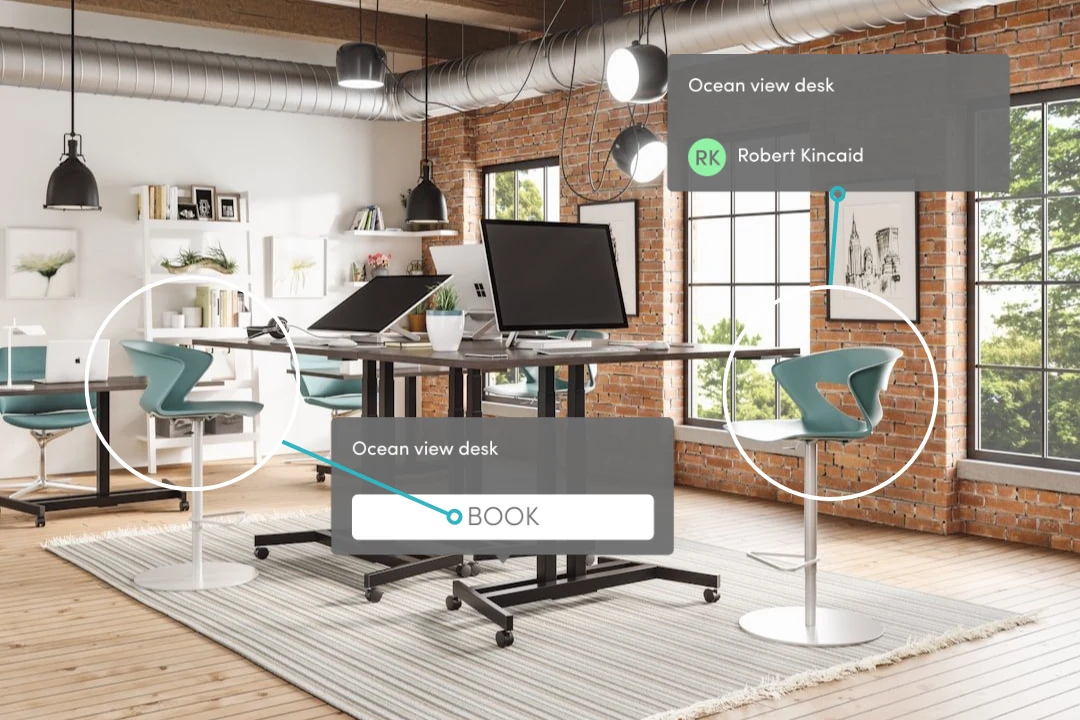
Desk & Space Booking is the intheOffice module for booking desks, meeting rooms, parking spaces, lockers and other spaces in a hot desking office. People book for a day, half a day or by the hour, and changing a day to Working from home offers to release the booking, so desks do not sit booked and empty. It is for UK offices of 30 to 250+ people with more people than desks.
What changes on Monday
Booking starts from the day
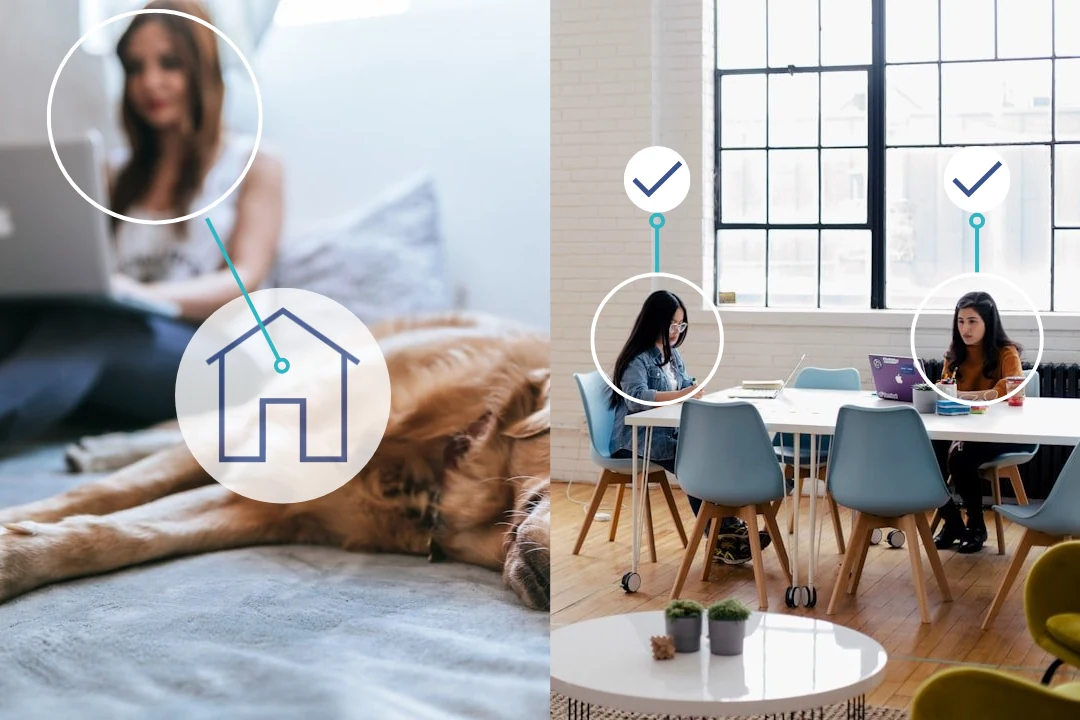
People set the days they are in and book from the same screen, so a desk is reserved against a day someone is actually coming in.
Tuesday stops being a scramble
Everyone can see what is left before they travel: which desks, which rooms, which parking spaces, for the day, the half day or the hour.
The desk goes back when you do not
Change your day to Working from home and you are asked what to do with the bookings you were holding, so the desk returns to the pool.
Rolling it out
Import your spaces from a spreadsheet in an afternoon.
What it costs
Desk & Space Booking (Space Bookings in the app): £1.19 per person per month, billed daily, plus VAT.
The 7-day trial starts when the first module is switched on, not at signup.
Replacing a desk booking system
Creditsafe's Cardiff office already had one. It described the desks and nothing else, which left the data too thin for HR to rely on, and its contract was up for renewal, so there was a month to replace it. The other three offices had nothing at all.
Creditsafe chose intheOffice for all four, set it up themselves and configured each office's bookable desks. Cardiff and Ireland were live within two weeks of the decision.
What does desk booking solve?
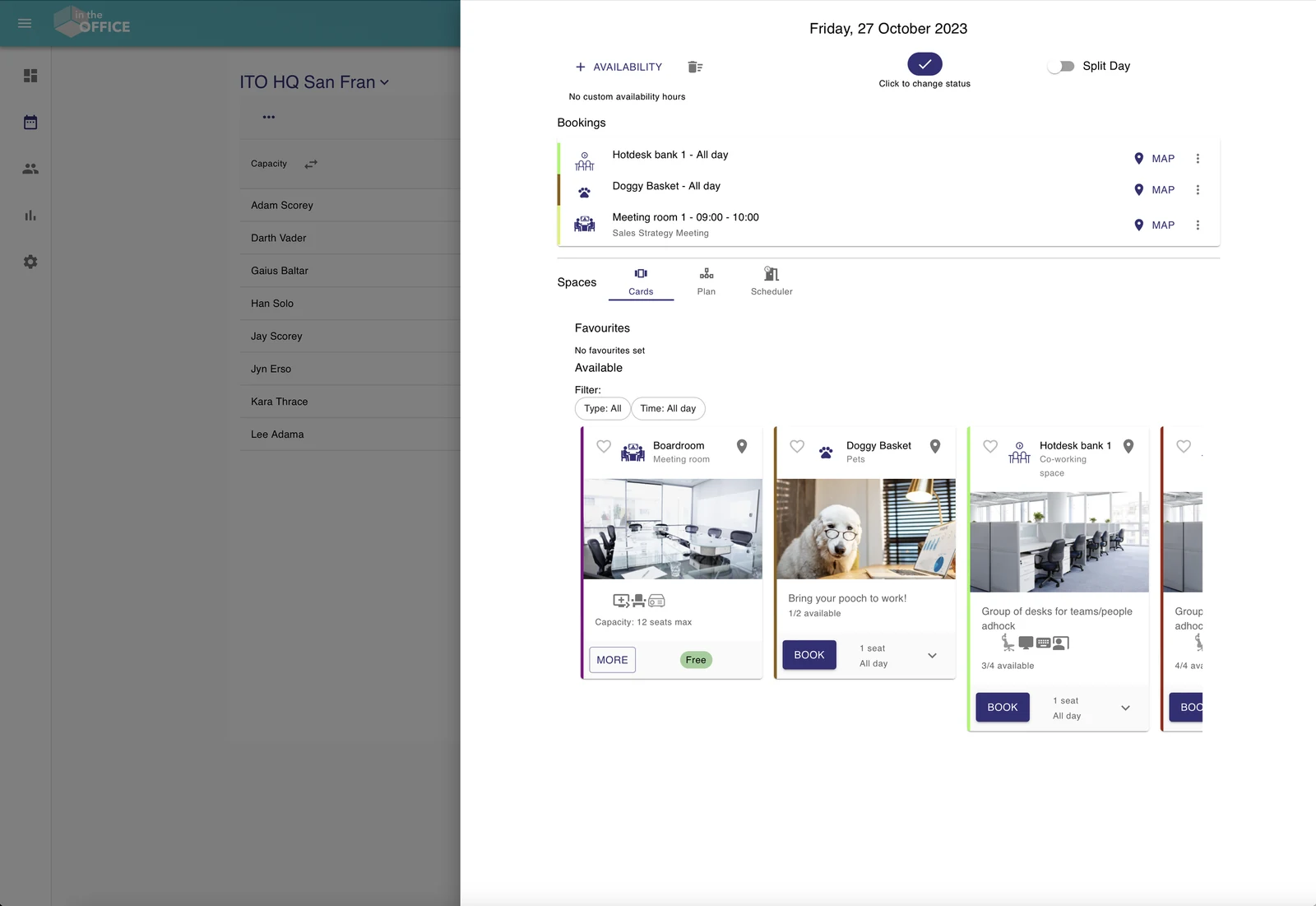
Desks, meeting rooms, parking spaces and lockers
Anything an office competes over can be made bookable: desks, meeting rooms, offices, co-working spaces, areas, parking spaces, lockers and pet spaces. Each space has its own name, description, colour and type, so a bank of hot desks and a boardroom behave differently without anybody learning two systems.
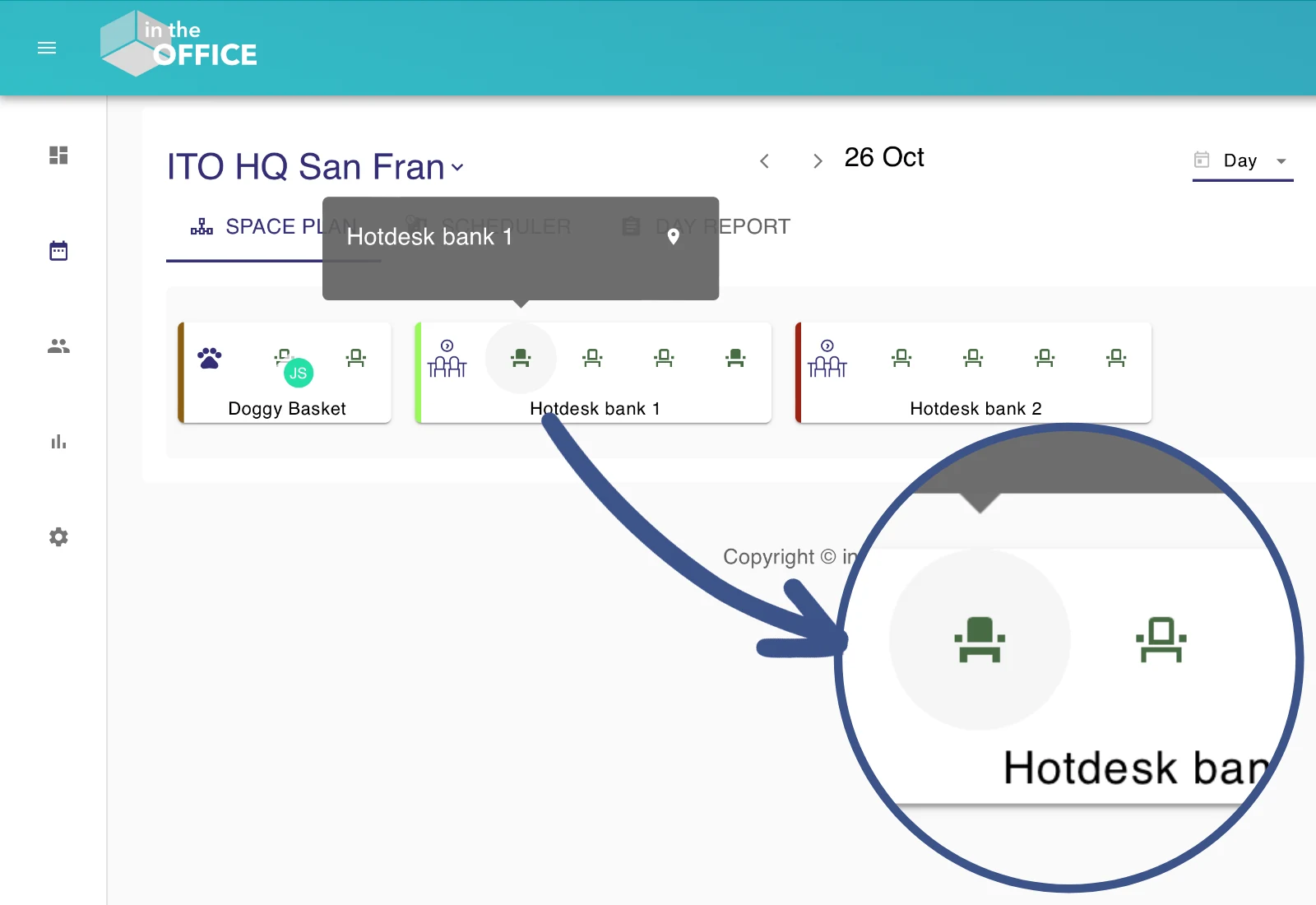
How many people a space takes
A space has as many seats as it has places to sit. A single desk has one. A bank of desks has as many as there are desks and shows how many are still available, so a team can take four of them for the same day. A meeting room carries the number it seats, so nobody puts twelve people in a room for six.
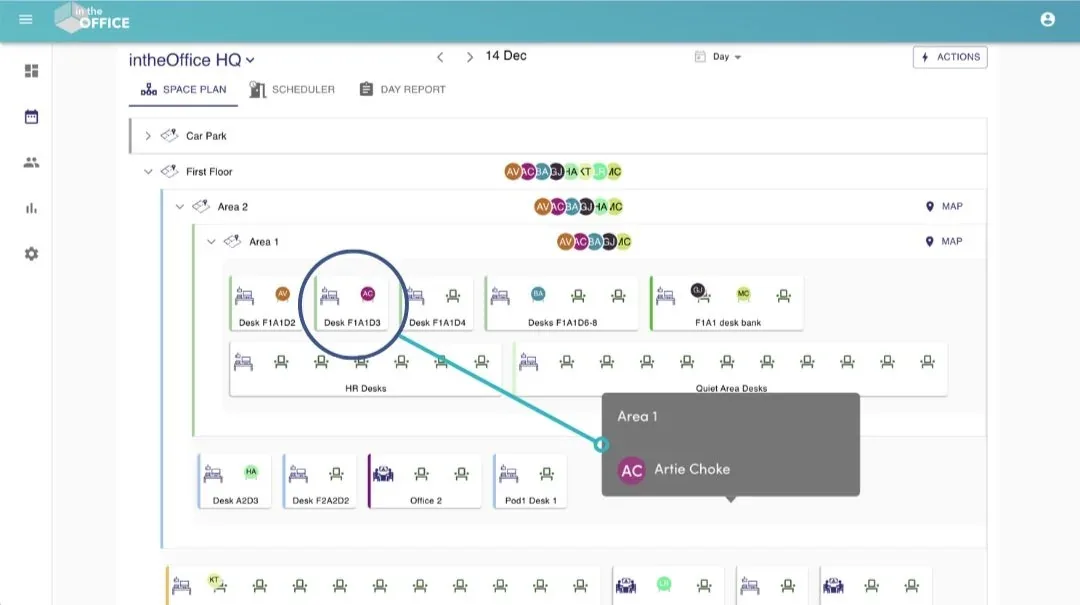
Areas, floors and the car park
Spaces nest inside each other. A floor holds areas, an area holds the desks in it, and the car park sits alongside, so the list on screen reads like the building. Initials on a desk show who has booked it, and a colleague's status for the day tells you where they are sitting.
All day, the morning, the afternoon or the hour
Each space is set to the periods that suit it. A desk is usually all day, or split into a morning and an afternoon. A meeting room is booked by the hour with a title on the booking, and the scheduler draws the day as a timeline so you can see the gap before you take it.
Filter by what the desk has
Amenities are tags on a space: a second monitor, a height-adjustable desk, a window view, a whiteboard, video conferencing. They show as icons on the card, and you can type your own, so someone who needs two screens finds a desk that has them instead of asking around.
Favourites
Save the desk you like and it is offered first every time you book, ahead of the rest of the list. It is a shortcut, not a claim: a favourite is still booked day by day, and anyone else can take it.
Spaces that come and go
A space can be given a date it becomes bookable and a date it stops: a desk borrowed for March, a car park closed for resurfacing, a floor that opens after the move. Outside that window it is not offered at all.
What you have booked
Your bookings for the day sit beside your status, with a map link for each one, so you know where you are sitting before you set off. Cancel one from there and the space goes back into the pool for whoever wants it.
The Space Kiosk
Put a tablet outside a meeting room and it shows that room, today's date and the day's bookings, and takes a booking from whoever is standing in front of it. It reloads itself at the end of the day, so it can be left on the wall.
A plan of the floor
Upload a plan of the floor or the area and place the spaces on it where they really are. People see where the desk is before they book it, and the plan opens from the space itself.
When your day changes
Change your day and intheOffice lists the bookings you were holding for it and asks what to do with them, rather than quietly cancelling them or quietly keeping them. A space set to ignore a status change, which is what parking spaces and lockers usually are, can be kept: a locker is not given up for an afternoon at home.
Setting them up, and changing them later
Add your spaces from a spreadsheet, one row each, with the name, description, seats, type, the area it sits in, the periods it can be booked for and its amenities; the import shows you what it read before it writes anything. Edit many spaces at once from one table. Archive a space you no longer offer rather than deleting it, so the bookings that happened on it stay in the record, and bring it back when you need it.
Why booking alone fails
Desk booking software rarely fails on features. It fails when people stop using it.
A booking does not say who is in
A desk booking tells you that somebody reserved a desk. It does not tell you who is coming in, who is working from home, or whether Thursday is already full. Put the day first and the booking follows it.
People stop booking, and the picture goes with them
Low adoption, not missing features, is what ends most desk booking rollouts. People fall back on a spreadsheet, the offices drift apart, and the numbers nobody trusts get quietly ignored.
Rigid rules cause the arguments
Desks claimed for months, days booked to look compliant, rooms held and sitting empty, and a sign-in-by-half-past-ten rule that punishes the person whose morning meeting overran. The fix is flexibility and a conversation, not a stricter rule.
Frequently asked questions
What is desk booking software?
Software that lets people reserve a desk, room or other space for a day or a time, so that an office with more people than desks, or with shared desks, runs without arguments. Desk & Space Booking is the intheOffice module that does this, on top of the schedule of who is in.
What is hot desking?
Hot desking is sharing desks rather than giving each person their own. Desk booking is how you run it: people book the desk they need for the days they are in.
What can we book?
Desks, meeting rooms, offices, co-working spaces, areas, parking spaces, lockers and pet spaces, for a whole day, a morning, an afternoon or by the hour.
How do we stop people booking a desk and not turning up?
When someone changes their day to Working from home, intheOffice offers to release their bookings, so the desk goes back into the pool as soon as the plan changes. Scan In records who actually arrived, which is how you see the difference between the desks booked and the desks used.
Can people book from their phone?
Yes. There is no app to install: intheOffice runs in the phone's browser and inside Microsoft Teams, and the QR code at the door is read with the phone's camera.
Can we have both assigned desks and hot desks?
Yes. Add only the shared desks to intheOffice; people with their own desk keep it and know where it is. There is no per-desk assigned setting.
More products from intheOffice
No card, no contract, nothing to install.