Visitor Management
Visitor management system for UK offices
The paper book, the host who does not know, and the fire drill with no list.
No card, no contract, nothing to install.
Trusted by thousands of users worldwide.
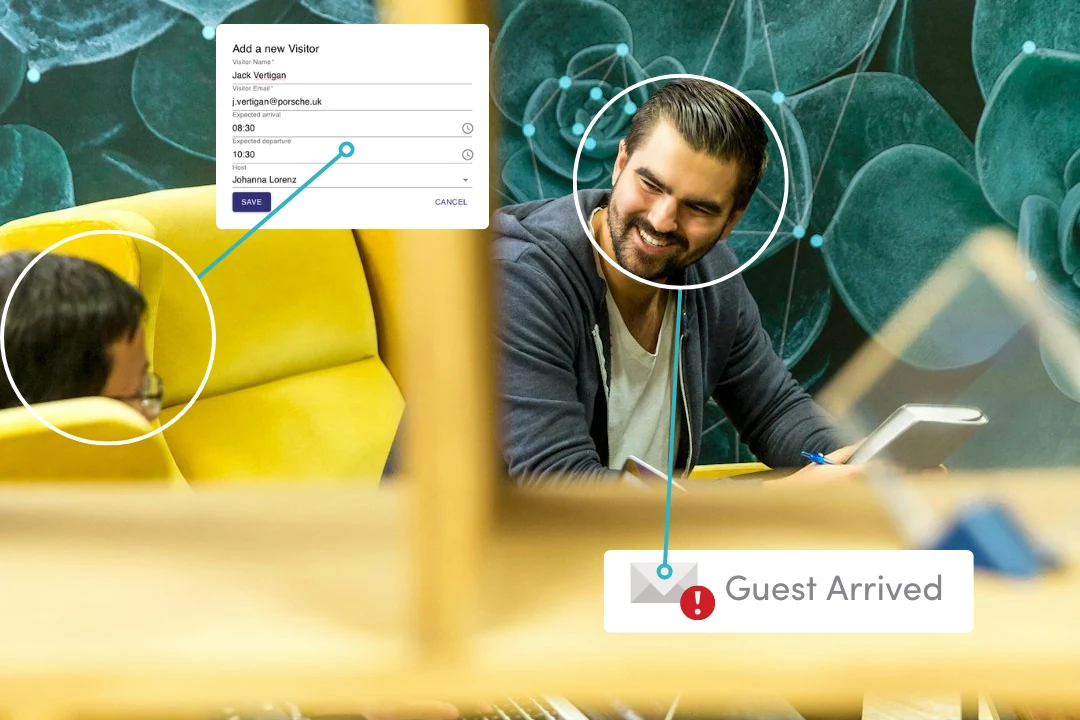
Visitor Management is the intheOffice module that replaces the paper visitor book. Staff pre-register a visitor, the visitor signs in on a tablet or with a QR code, the host is emailed on arrival, and every visitor appears on the Live Health & Safety Register for the fire roll-call. It is for UK offices of 30 to 250+ people and for landlords running a shared reception.
What changes on Monday
The book comes off the desk
Visitors sign in on a tablet at reception or by scanning a QR code, so the next arrival no longer reads the name and company of the last one.
The host finds out at the door
An email reaches the host the moment their visitor checks in, and reception is not walking the building looking for them.
The fire drill has the whole building
Visitors sit on the Register beside staff, so the roll-call outside covers everyone who is actually on site.
Rolling it out
A tablet in reception and a printed QR code; no hardware to buy.
What it costs
Visitor Management: £0.95 per person per month, billed daily, plus VAT.
The 7-day trial starts when the first module is switched on, not at signup.
Who uses intheOffice
Offices of 30 to 250+ people across the UK, Europe and North America, from a single reception to four offices in three countries, the Fairtrade Foundation among them.
What can you do in Visitor Management?
Manage and track your visitors, and check your staff in.
Pre-register a visitor
Add a visitor before the day: their name, their email address, the times they are expected to arrive and depart, and their host. Whoever adds them stays the owner of the record, so an admin registering a guest for a colleague does not hand the record over. Once a visitor has arrived, the record can no longer be edited or deleted by anyone, because it has stopped being a booking and become a health and safety record.
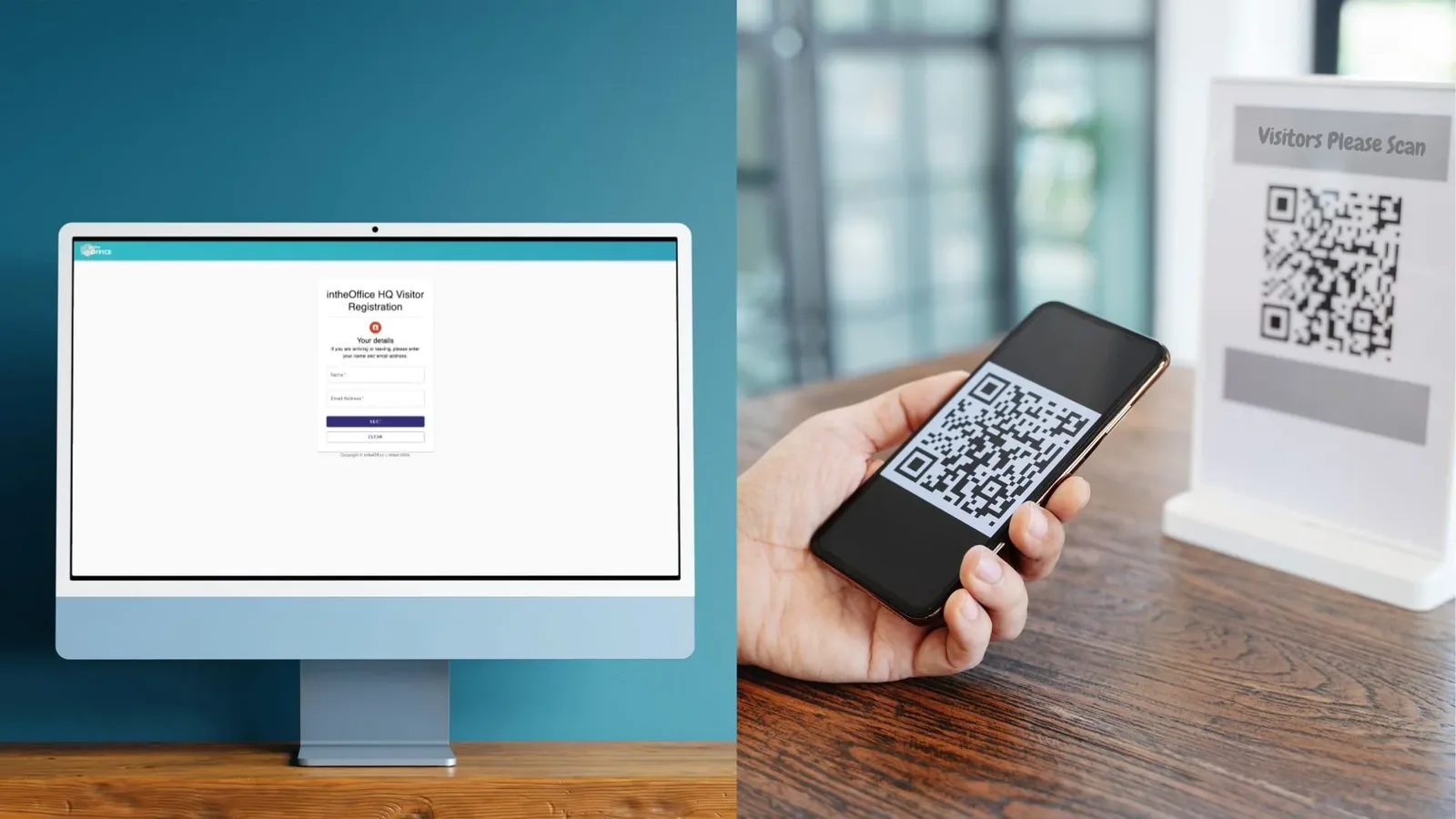
The kiosk, or the visitor's own phone
Put a tablet or a screen in reception and it runs the check-in flow; print the QR poster for the door and a visitor scans it with their own camera instead, with nothing to install. The kiosk clears itself after 30 seconds without a touch, so what one visitor typed is never on screen for the next one. Someone already checked in is offered check-out rather than a second arrival.
The host is emailed, and so is the visitor
Checking in emails the host straight away, copied to any addresses that host has added to their own profile, so reception or a team assistant sees it too. The visitor gets their own confirmation, deliberately without those copied addresses. Checking out emails the host again, so nobody has to guess whether a guest is still in the building.
Ask for what your site needs
Switch on the extra questions a site actually asks: car registration, a contact number, and a pass number under whatever label you use, whether that is Visitor Pass Number, badge or fob. Each step appears at the kiosk only where it is switched on, so a quiet office is not made to answer the questions a warehouse asks.
Policies read and ticked before check-in
Add your site policy, a safety briefing or an NDA as written statements or as uploaded images, in the order you want them read. The visitor ticks a box, worded by you, before check-in will complete. With no statements added, the step disappears.
Your reception, not ours
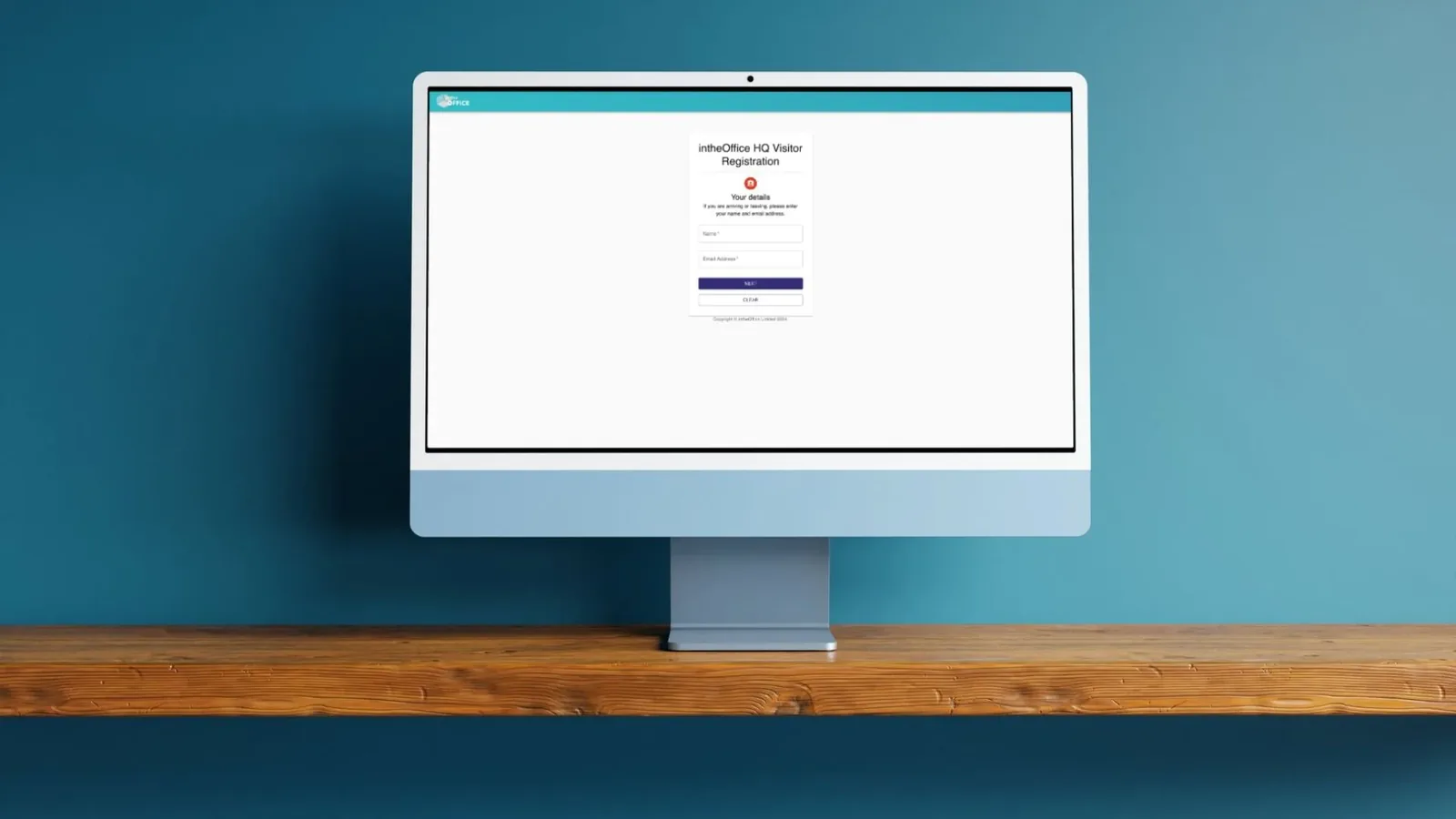
Each location has its own logo, heading, welcome message and background image on the kiosk, so a visitor sees your building rather than our software. In a shared building a tenant can put its own logo on the kiosk the landlord runs.
Contractors have their own route
Switch the contractor option on and the kiosk offers it as a separate choice, with a standing contractor host, so a contractor arriving at seven in the morning does not have to name anyone. Contractors who have been before are offered the details they used last time, and that index is encrypted, because the kiosk itself has to be readable without signing in.
Stepping out and coming back
A visitor who checks out and returns the same day checks in again, and the earlier arrival and departure are kept rather than overwritten. The record for the day shows every time they came and went, which is the point of keeping one.
The day at reception: expected, checked in, checked out
Pick a date and a location and the day is three lists: who is expected, who is on site now, and who has already gone. It updates as people arrive, it opens from the schedule as well as from its own page, and a walk-in nobody booked is marked as unplanned rather than quietly added to the expected list.
Export the day
Export the day to CSV: visitor name and email address, host name and email address, whether the visit was expected, the times that were booked and the times the visitor actually arrived and left. It is the file to hand to whoever asks who was in the building on a given afternoon.
Who can see a visitor's details
The name, email address and extra fields a visitor gives are held in the application rather than on a page anyone at the desk can read. Only the person who registered the visitor, and an administrator, can change or remove the record, and neither can once the visitor has arrived. The kiosk does not show your staff list unless you switch host search on. Application data for all areas is held in Google Cloud data centres in London, Belgium and Frankfurt, and the Data Processing Agreement names the sub-processor and those three locations.
The Register, for the fire drill
Visitors appear on the Register alongside staff, with who is on site now and who has already checked out. Staff reach the same list by scanning the poster at the door with Scan In. The Register exports, so the roll-call can be taken outside the building rather than read off a screen inside it.
Landlord & Tenant
One reception, several companies.
For the landlord
One kiosk at the door of a shared building lists your tenants. The visitor picks the company they are here to see and the arrival goes to a host in that company, while the building keeps a register covering every floor.
For the tenant
Link to the building with a key from the landlord, add your own logo to the shared kiosk, and keep your own visitor list, your own hosts and your own policies.
Priced separately
Landlord Visitor Management is priced separately from the module on this page, because a building is not an office. Talk to us about yours and we will quote for it.
Frequently asked questions
Is a visitor book a legal requirement in the UK?
No law names a visitor book. What the law requires is that you know who is on the premises and can account for them in an emergency: the Regulatory Reform (Fire Safety) Order 2005 and the Health and Safety at Work etc. Act 1974 place those duties on the employer. A visitor record is how most offices meet it.
Is a paper visitor book GDPR compliant?
A book on the reception desk shows every visitor name and company to the next person who signs in. UK GDPR asks you to limit who sees personal data and to keep it only as long as you need it. A digital sign-in keeps the details out of sight, and the records can be deleted when you no longer need them.
How long should we keep visitor records?
There is no statutory period for a visitor log. Decide a period that matches your fire and security needs and write it into your privacy notice. Visitor records are not deleted automatically: tell us when you want them removed and we delete them by hand.
Do contractors and delivery drivers need to sign in?
Anyone who will be on the premises long enough to matter in an evacuation should be on the register. Deliveries handed over at the door usually do not.
Does the evacuation list include visitors?
Yes. Visitors appear on the Register alongside staff, and the Register exports, so the roll-call can be taken outside the building.
More products from intheOffice
No card, no contract, nothing to install.