For IT: Microsoft sign-in, Teams, data location and the API
What IT asks before saying yes, answered on one page and in a dated PDF you can put in the approval file. No signup needed to read it.
Version 16 September 2026. Read it with the Data Processing Agreement.
The IT brief
Ten answers, in the order IT asks for them. The PDF says the same, dated, so it can sit in the approval file.
What it is
intheOffice is attendance scheduling and desk booking software for offices that work flexibly. People set the days they will be in, admins see who is in and how full the office is, and Desk & Space Booking, Visitor Management and Reporting are optional modules on the same account.
It runs in the browser on any device and as a tab in Microsoft Teams. There is nothing to install and no hardware to buy; a tablet at reception is the most a site ever needs, and only for visitor sign-in.
Where the data lives
Application data for all areas is held in Google Cloud data centres in London, Belgium and Frankfurt. The Data Processing Agreement names the sub-processor and those three locations in its Appendix A.
Some processing runs outside them. The newer server functions run in London and the older ones run in a US region until they are retired, so we do not claim UK-and-EU-only processing. This brief will say so when that changes.
Who hosts it
Google Firebase, part of Google Cloud, provides the hosting, the sign-in layer, the database and the file storage. Google LLC is the one sub-processor named in the Data Processing Agreement.
The security certifications on our earlier Data and Security sheet are Google’s, as the hosting provider, and not ours. Check them on Google Cloud’s own compliance pages. intheOffice holds no certification of its own, and we would rather say so than imply otherwise.
Sign-in
Two routes: Microsoft sign-in, or an email address and password with reset by email. Microsoft sign-in asks for nothing beyond the basic profile, the name and email address; no directory permission is requested to sign in.
Accounts are work-email only, because an account is a company: personal domains are refused at signup. Domain auto-join, which lets anyone with your email domain join by signing in with Microsoft, is off by default and an admin turns it on per domain.
Roles are company admin, location admin, with admin rights at named sites only, and group admin, who manages one team. Everyone else manages their own days.
What is held, and what is not
For each person: name and initials, work email address, the status they set for each day, their bookings and Routines, and anything your own admins add in custom fields. For a visitor: what your sign-in form asks for. Visitor email addresses are visible only to the visitor’s host, not to the whole company, and a contractor’s email address is encrypted by us (AES-256-GCM) before it is stored, on top of the encryption at rest that Google Cloud applies to everything.
Each company’s data is partitioned per company and the partition is enforced by the database’s own security rules, not only by the application. It records the status each person set and, if you use Scan In, when they arrived; it does not track where people are during the day, read calendars or store documents. Special category data is held only if your admins create a custom field that asks for it, which the Data Processing Agreement anticipates.
Integrations and their scope
Microsoft 365 people sync, optional: it imports names and email addresses from your directory. It asks for the Directory.Read.All permission, which only a tenant admin can grant, and it writes nothing back to your directory.
Microsoft Teams: intheOffice runs as a tab in Teams, so people set their day without leaving it. CSV import of people and of spaces; CSV export of the schedule, Routines, the check-in and check-out log, the reporting numbers, visitors, the Register and the people list.
A read-only REST API, for an HR dashboard, a building system or signage: the daily schedule for a location, aggregate status counts, bookings by date or by space, and people lists. Keys are stored only as hashes and never in plain text; each key is shown once, is scoped to schedule, bookings or users, can be restricted to named locations, can be revoked, and is rate limited, at 120 requests a minute and 3,600 an hour by default and tunable per key. The API is switched on per company on request.
There is no Outlook or calendar integration and no Slack integration. We would rather you knew that now than found it in week two.
What IT has to do
Three things, and none of them is a project. Allow our senders, so invitations and visitor notices arrive: staff invitations come from hi@intheoffice.io and visitor emails from noreply@intheoffice.io. If you want the Microsoft 365 people sync, a tenant admin grants consent for Directory.Read.All the first time an admin runs it. If you want the Teams tab, add the app in Teams.
There is nothing to install, nothing to host and no client software to package. Allow ten minutes.
Audit
Every feature switch, turning a module on or off for the company or a location, is logged with who did it, what changed and when. Access to the systems behind intheOffice is controlled and logged as the Data Processing Agreement’s Appendix B sets out, and clause 8 of that agreement gives you the right to audit us on thirty days’ written notice.
How to leave
Export whenever you like: the schedule, Routines, the check-in and check-out log, the reporting numbers, visitors, the Register and the people list all export to CSV from the app. When you leave, we delete your data by hand and confirm it in writing within 28 working days, as clause 11 of the Data Processing Agreement says. There is nothing to uninstall.
Who answers
Support comes from the people who built intheOffice, led by the founder. Email hi@intheoffice.io, or book a technical call with Jon Kent, who built it. It runs for 30 minutes, and you are welcome to bring your security questionnaire.
Why use intheOffice
At a glance
intheOffice was designed from the ground up to be more than desk booking, hot-desking, office utilisation and visitor management software. It has to work with the systems you already run, be secure, and be simple to set up and use. We train your users, and support comes from the people who built it.
- Limited personal data collection
- No special category data asked for
- Securely authenticated
- Data at rest encrypted
- Scheduling, Desk & Space Booking and Visitor Management on one account
- Touchless QR code check-in
- Supported onboarding, from the people who built it
- Microsoft sign-in and a Microsoft Teams tab
- No set-up fees and no card needed
- Cloud based, reachable from any device
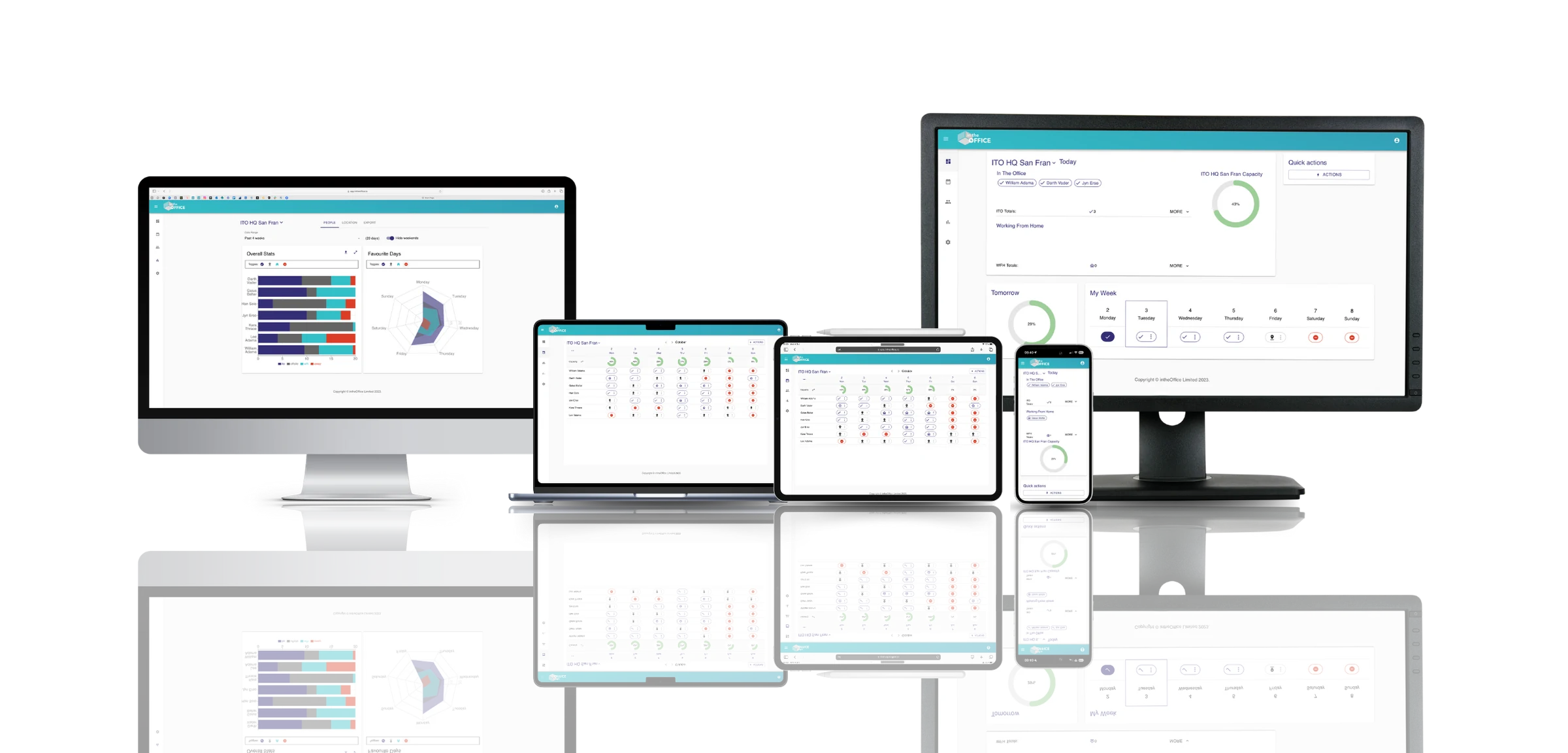
Available across all of your devices.
How else intheOffice helps IT managers
- Groups
- Add Groups or teams within offices, so leaders have a clear, focused and more manageable hybrid working process with accurate data.
- Multiple Locations
- Create multiple locations to reflect your own real-world offices. Locations have their own Groups, Reporting, Spaces and capacity levels.
- Technical support
- Support comes from the people who built intheOffice, led by the founder.
- Data security
- What is held, where it is held and who can see it is set out in the brief above, and in the Data Processing Agreement it points to.
Hybrid research from intheOffice
Frequently asked questions
Where is our data held?
Application data for all areas is held in London, Belgium and Frankfurt. The brief above and the Data Processing Agreement list every sub-processor and region, so IT can check the full picture.
Does it work in Microsoft Teams?
Yes. intheOffice runs as a tab in Microsoft Teams, people sign in with their Microsoft account, and the optional Microsoft 365 people sync keeps the people list in step.
How does Microsoft sign-in work?
Staff sign in with their Microsoft account; sign-in asks for nothing beyond the basic profile. The optional Microsoft 365 people sync needs a directory-read permission that only a tenant admin can grant.
Is there an API?
Yes, a read-only API for pulling schedule, booking and people data into other systems, with keys held as hashes and scoped per company.
Can we turn it off?
Yes. Modules switch off at any time and stop billing the next day, and your data exports to CSV whenever you want it.
Support comes from the people who built intheOffice, led by the founder. Email hi@intheoffice.io, or read the Data Processing Agreement and the privacy policy.